IPTV UK Streaming Security (2026): Safe, Reliable & Buffer-Free Setup
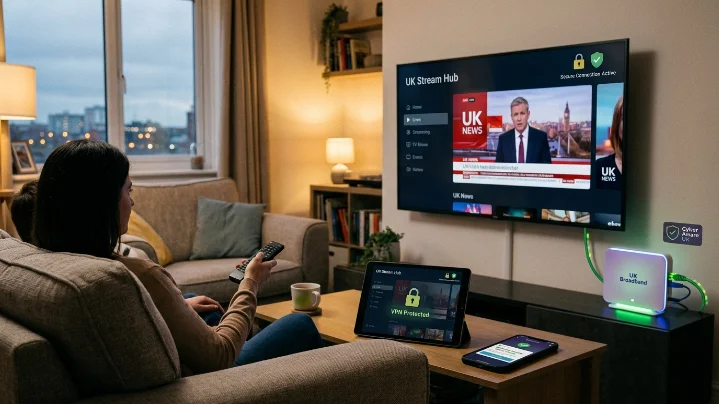
IPTV UK Streaming Security (2026): Safe, Reliable & Buffer-Free Setup
When selecting a digital TV provider, stream crispness and channel volume are only half the equation. Server stability, encrypted account authentication, and connection security play an equally critical role in delivering an uninterrupted viewing experience.
Whether streaming a high-demand Premier League kickoff on an Amazon Firestick, catching a cinema release on a Samsung Smart TV, or following live broadcasts on an iPhone, securing your connection ensures maximum uptime and protects your device from technical disruptions.
This guide breaks down modern IPTV UK streaming security, how enterprise-grade server infrastructure prevents freezing, and best practices for setting up your devices safely.
1. What Is IPTV UK Streaming Security?
Internet Protocol Television (IPTV) delivers live TV channels, interactive Electronic Programme Guides (EPG), and Video-on-Demand (VOD) catalogs over high-speed broadband networks using standard internet protocol suites.
Unlike legacy satellite dishes vulnerable to rain fade, IPTV relies on server-to-device data transmission. Streaming security refers to the technical measures engineered into the provider’s backend cloud to protect user credentials, prevent connection hijacking, and ensure high-bitrate video feeds render smoothly without buffering.
Looking for More IPTV Tips and Tutorials?
Explore our collection of IPTV guides covering installation, troubleshooting, compatible devices, and streaming tips.
Visit Our Blog →best-iptvuk.com
Core Security Pillars of a Top-Tier Platform:
Encrypted Authentication: Protects user Xtream Codes API credentials during login handshake protocols.
Load-Balanced CDNs: Distributes global viewer traffic across redundant server clusters during high-volume sports events.
Anti-Freeze Infrastructure: Dynamically balances video bitrates to prevent buffering under changing network conditions.
Secure App Sideloading: Ensures installation files (APKs) originate from verified, malware-free repositories.
2. Why Security Matters for UK Viewers
As British cord-cutters move away from expensive traditional cable, home streaming setups handle sensitive data across multiple connected family devices.
Investing time in a secure setup yields six direct benefits:
Zero Credential Exposure: Prevents account details or playlist URLs from being intercepted on public or shared networks.
Prevention of ISP Throttling: Reduces the risk of UK internet service providers detecting and slowing down heavy video streams during peak weekend matches.
Optimized App Performance: Using verified IPTV apps ensures zero hidden bloatware or background memory drain.
Stable 4K UHD Playback: Uninterrupted server pipes maintain consistent 60fps frame rates for live sports.
Multi-Device Syncing: Keeps simultaneous household connections isolated and stable across rooms.
3. How to Choose a Secure IPTV UK Provider
Not all streaming platforms maintain equal security standards. When evaluating options, prioritize technical infrastructure over inflated channel numbers.
| Feature / Criteria | Low-Quality / Unsecured IPTV | Secure iptvuk Cloud |
| Authentication Protocol | Plaintext M3U links | Encrypted Xtream Codes API |
| Server Architecture | Single-node servers (Buffering prone) | Global Anti-Freeze CDN Networks |
| ISP Throttling Defense | None (Prone to peak-hour slowdowns) | Encrypted Traffic Routing Support |
| Trial System | Paid / Restrictive | Free IPTV Trial UK Access |
| App Ecosystem | Obscure, unverified APKs | Official App Store & Clean Shortcodes |
4. Device-by-Device Security & Best Practices
Securing your viewing environment depends heavily on hardware-level maintenance.
Amazon Firestick (Fire TV 4K / Max / Cube)
The Firestick is the most popular streaming device in the UK, but requires proper management to prevent memory bottlenecks:
Keep Fire OS Updated: Navigate to Settings > My Fire TV > About and regularly install system updates.
Clear Application Caches: Periodically clear cache files inside app settings to free up hardware RAM.
Use Official Downloader Codes: Only download IPTV players using verified shortcodes to avoid tampered installation files.
Looking for IPTV on Smart TVs?
Learn how to install and enjoy IPTV on Samsung, LG, Android TV, and other Smart TVs with our simple setup guides.
Read the Smart TV Guide →best-iptvuk.com
Smart TVs (Samsung Tizen & LG webOS)
Stick to official TV app stores (such as IBO Player Pro or Smart IPTV) to guarantee native, hardware-accelerated video decoding.
Connect Smart TVs directly via an Ethernet cable rather than Wi-Fi to lower packet loss and latency.
Android TV & Google TV (NVIDIA Shield / Chromecast)
Enable Google Play Protect to automatically scan sideloaded applications.
Utilize advanced player apps like TiviMate that support hardware (HW) decoding and custom buffer size adjustments.
5. Step-by-Step Installation & Secure Setup Workflow
Follow this universal operational workflow to establish a safe, high-speed streaming connection on your Amazon Firestick or Android TV device:
6. Always Test Server Stability via a Free Trial
Before purchasing a long-term iptvsubscription, always request a free IPTV trial UK. A real-world test enables you to assess:
Peak-hour channel switching speed during live Premier League or EFL matches.
Server response times and EPG guide loading performance.
Compatibility with your router's default firewall settings.
Ready to Start Streaming?
Discover reliable streaming, a wide range of entertainment, and an easy setup process for all your favourite devices.
Visit Best IPTV UK →best-iptvuk.com
Frequently Asked Questions
Do I need a VPN for IPTV streaming in the UK?
While high-quality providers build proxy protection and load balancing into their server networks, using a reputable, encrypted VPN adds an additional layer of security. It prevents local ISP bandwidth throttling during peak sporting events and protects your streaming traffic on shared Wi-Fi networks.
What internet speed is required for safe, buffer-free 4K streaming?
For standard 1080p Full HD streams, a minimum connection speed of 15 Mbps is recommended. For raw 4K Ultra HD and 60fps live sports playback without buffering, ensure your local download speed exceeds 30–50 Mbps over a stable 5GHz Wi-Fi or wired Ethernet connection.
What happens if my account details are compromised?
If an account is accessed simultaneously from multiple unapproved locations without a multi-connection plan, the server's automated security system will trigger a protection lockout. Always keep your Xtream Codes credentials private and purchase a dedicated multi-connection plan for family or multi-room use.
Conclusion
To conclude, IPTV UK Streaming Security (2026): Safe, Reliable & Buffer-Free Setup provides valuable insights into improving your IPTV experience on any device.
By following the steps in this guide, you can enjoy smooth and high-quality streaming with ease.
Always rely on a trusted IPTV provider, keep your app updated, and maintain a stable internet connection for the best performance.
For reliable IPTV services in the UK, visit
lightsteelblue-mallard-181895.hostingersite.com —
your go-to destination for premium IPTV UK subscriptions.
Contact Us
Have questions or need assistance? We're here to help!
Get in Touch
Email Us
contact@best-iptvuk.com
Available 24/7
Call Us
+447404860675
Available 24/7
Live Chat
Available on our website
Response time: Under 5 minutes
Our Hours
Customer Support: 24/7
Sales Department: Mon-Fri, 9am-6pm GMT
Technical Support: 24/7
