Bestiptvuk
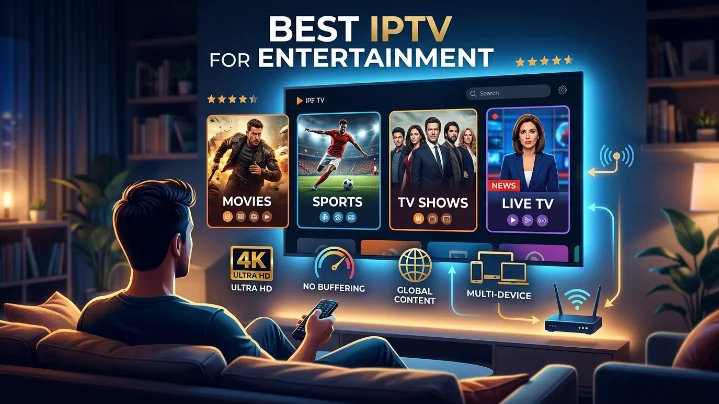
IPTV Setup Guide 2026: How to Find Your IPTV URL and Install IPTV on LG TV, Firestick & Zgemma H2S
Setting up IPTV for the first time doesn't have to be difficult. Whether you've just purchased an IPTV subscription or switched to a new streaming device, the process becomes simple once you know which steps to follow.
This guide explains everything you need to get started. You'll learn how to locate your IPTV playlist URL, install IPTV on an LG Smart TV, configure a Zgemma H2S receiver, and set up IPTV on an Amazon Firestick. We've also included practical troubleshooting tips to solve the most common setup problems.
By the end of this tutorial, you'll be ready to enjoy live television, sports, movies, and on-demand content on your preferred device.
What Is an IPTV URL?
An IPTV URL, commonly called an M3U playlist, is the link your IPTV player uses to load channels, electronic program guide (EPG) information, and video-on-demand content from your provider's server.
Most IPTV services provide login details in one of two formats:
M3U Playlist URL – A single web link containing your username and password.
Xtream Codes API – Three separate details:
Server URL
Username
Password
Many modern IPTV applications support both formats, although Xtream Codes generally offers quicker playlist loading and better EPG synchronization.
View IPTV Subscription Plans:best-iptvuk.com
How to Find Your IPTV Playlist URL
Follow these steps to access your IPTV credentials.
Step 1
Sign in to your IPTV provider's customer dashboard using the account details you received after purchasing your subscription.
Step 2
Open the section that contains your active subscription. Depending on the provider, this may be called:
My Account
My Services
Playlist
Devices
Active Subscription
Step 3
Locate your subscription and select the option to display your connection details.
Step 4
Copy either the complete M3U playlist link or your Xtream Codes credentials, depending on the IPTV player you plan to use.
Step 5
Save the information in a secure location such as:
Notes app
Password manager
Cloud document
Email draft
Keeping your credentials safe makes reinstalling IPTV much easier in the future.
Visit Best IPTV UK:best-iptuk.com
Helpful Tip
Always keep a backup of your IPTV credentials. If you replace your TV, reset your Firestick, or install IPTV on another device, you won't need to request the information again from your provider.
IPTV URL Problems and Solutions
Playlist Link Doesn't Work
Long IPTV URLs can easily become incomplete if they aren't copied correctly.
Before using the link:
Ensure it begins with http:// or https://
Confirm the entire URL was copied
Remove any spaces before or after the link
If the issue continues, request a fresh playlist from your IPTV provider.
Login Failed or Unauthorized Error
An authentication error usually means one of the following:
Incorrect username
Incorrect password
Subscription has expired
Playlist has been reset
Verify your login details inside your customer portal. If everything appears correct, contact your IPTV provider for updated credentials.
IPTV Works on One Device but Not Another
Some IPTV subscriptions limit the number of devices that can stream simultaneously.
If another device is already connected, additional devices may fail to load channels.
You can resolve this by:
Purchasing extra connections
Requesting separate playlists for each device
Disconnecting any devices that are currently streaming
IPTV on LG Smart TV: best-iptvuk.com
Bestiptvuk
Best UK Channel Streaming Subscription Picks
The way people watch television in the UK has changed dramatically over the past few years. More viewers are moving away from traditional cable and satellite services in favor of internet-based streaming that offers greater flexibility, better value, and a wider choice of entertainment. If you're looking for the best UK channel streaming subscription, understanding what to look for can help you choose a service that fits your viewing habits and budget.
Whether you enjoy live sports, blockbuster movies, family entertainment, or international programming, a reliable streaming subscription can provide everything in one place without the restrictions of traditional TV packages.
What Is a UK Channel Streaming Subscription?
A UK channel streaming subscription allows you to watch live television and on-demand content over an internet connection rather than through satellite or cable networks.
Instead of relying on fixed TV packages, users can stream content on multiple devices, including:
Smart TVs
Amazon Fire TV Stick
Android TV Boxes
Windows PCs
Mac computers
Smartphones
Tablets
With a stable internet connection, you can enjoy your favorite entertainment almost anywhere.
Why More UK Viewers Are Choosing Streaming
Internet television has become increasingly popular because it provides greater convenience and flexibility.
Some of the biggest advantages include:
Lower monthly costs
Flexible subscription plans
Access to live TV and on-demand content
No long-term contracts
Easy installation
Multi-device compatibility
Unlike traditional television providers, many streaming services allow users to watch content wherever they are without being tied to one television.
Features to Look for in a Streaming Subscription
Not every streaming service offers the same experience. Before choosing a provider, consider these important features.
Wide Channel Selection
A quality subscription should include a large selection of UK entertainment, news, documentaries, movies, kids' channels, and international programming.
Sports Coverage
Sports fans should look for services that include coverage of major competitions, football, rugby, cricket, boxing, Formula 1, tennis, and other live sporting events.
On-Demand Library
A strong Video on Demand (VOD) section adds extra value by providing access to popular films, complete TV series, and recently released content.
High Streaming Quality
Look for services that support:
HD streaming
Full HD
4K Ultra HD (where available)
Higher picture quality creates a more enjoyable viewing experience, especially on larger televisions.
Reliable Performance
Stable servers, quick channel loading, and minimal buffering are essential for uninterrupted entertainment.
Compatible Devices
One advantage of modern streaming subscriptions is compatibility across multiple platforms.
Popular supported devices include:
Amazon Fire TV Stick
Android TV
Google TV
Smart TVs
Apple TV
Windows laptops
Mac computers
Android phones
iPhone and iPad
This flexibility allows users to watch their favorite content at home or while traveling.
Choosing the Right Subscription Plan
Different households have different viewing needs. Selecting the right plan depends on how often you stream.
Monthly Plans
Ideal for new users who want to test the service before making a longer commitment.
Quarterly Plans
Offer a balance between flexibility and savings.
Six-Month Plans
Suitable for regular viewers looking for better overall value.
Annual Plans
Often provide the lowest monthly cost for users who stream throughout the year.
Streaming vs Traditional Television
Many households are comparing internet streaming with conventional television services.
| Feature | Streaming Subscription | Traditional TV |
|---|---|---|
| Internet-Based | Yes | No |
| Multi-Device Viewing | Yes | Limited |
| On-Demand Content | Yes | Limited |
| Flexible Plans | Yes | Often Contract-Based |
| Easy Setup | Yes | Installation Required |
| International Channels | Extensive | Limited |
For many viewers, streaming offers greater convenience and more control over what they watch.
Tips for Better Streaming Performance
A quality subscription performs even better when combined with a good home setup.
To improve streaming quality:
Use a fast broadband connection.
Connect through Ethernet when possible.
Keep your streaming device updated.
Restart your router regularly.
Close unnecessary background applications.
Clear cache from streaming apps periodically.
These simple steps can improve stability and reduce buffering.
Is a Streaming Subscription Worth It?
For many households, the answer is yes.
A modern streaming subscription combines live television, sports, movies, TV series, and on-demand entertainment into one convenient platform. It also eliminates many of the extra costs associated with traditional television services, such as installation fees, equipment rental, and long-term contracts.
Whether you're replacing cable TV completely or simply looking for more entertainment options, streaming offers a practical and flexible solution.
Frequently Asked Questions
What internet speed is recommended?
For HD streaming, a connection of at least 15 Mbps is recommended. For 4K streaming, faster speeds provide the best experience.
Can I watch on multiple devices?
Many providers allow multiple device connections, although this depends on the subscription plan.
Do I need special equipment?
No. Most users simply install a compatible streaming application on their existing device.
Is streaming suitable for sports fans?
Yes. Many subscriptions include extensive sports coverage, making them a popular choice for football, cricket, rugby, boxing, Formula 1, and other live events.
Can I watch while traveling?
Yes. As long as you have a compatible device and a reliable internet connection, you can enjoy streaming from different locations.
Final Thoughts
Choosing the best UK channel streaming subscription comes down to finding the right balance between content, performance, device compatibility, and value for money.
A high-quality service should offer a broad selection of live channels, an extensive on-demand library, smooth streaming, and flexible subscription options. By selecting a provider that prioritizes reliability and user experience, you can enjoy premium entertainment without the limitations of traditional television.
Take time to compare features, test compatibility with your devices, and choose a subscription that matches your viewing habits for the best long-term experience.
Simple, Transparent Pricing
Choose the plan that works best for you. All plans include our 30-Day Money-Back Guarantee.
Limited Time Flash Sale!
Prices will return to normal after the timer ends.
Monthly
Perfect for trying out our service
-
28,000+ Live TV Channels
-
Full HD & 4K Quality
-
7-Day Catch Up
-
VOD Library (Movies & Series)
-
Use on 1 Device
-
24/7 Support via WhatsApp
3 Months
Great value for short term
-
28,000+ Live TV Channels
-
Full HD & 4K Quality
-
7-Day Catch Up
-
VOD Library (Movies & Series)
-
Use on 2 Devices Simultaneously
-
24/7 Support via WhatsApp
-
Save over 20% vs Monthly
Annual
Best value for loyal customers
12 Months + 2 Months FREE
-
28,000+ Live TV Channels
-
Full HD & 4K Quality
-
7-Day Catch Up & Recording
-
Premium VOD Library (Updated Daily)
-
Use on 3 Devices Simultaneously
-
VIP 24/7 Support
-
Save over 60% vs Monthly
-
Free Setup Assistance
Quarterly
Popular choice for commitment
-
28,000+ Live TV Channels
-
Full HD & 4K Quality
-
7-Day Catch Up & Recording
-
Extensive VOD Library
-
Use on 2 Devices Simultaneously
-
Priority 24/7 Support
-
Early access to new features
Secure Payment Options
We accept various secure payment methods for your convenience.
Ready for a Longer Test Drive?
Experience the full power of lightsteelblue-mallard-181895.hostingersite.com IPTV with our exclusive 24-hour free trial. Access all 28,000+ channels, VOD, and premium features with no obligation. It's the perfect way to see why we're the UK's favourite IPTV provider!
Contact Us
Have questions or need assistance? We're here to help!
Get in Touch
Email Us
contact@best-iptvuk.com
Available 24/7
Call Us
+447404860675
Available 24/7
Live Chat
Available on our website
Response time: Under 5 minutes
Our Hours
Customer Support: 24/7
Sales Department: Mon-Fri, 9am-6pm GMT
Technical Support: 24/7
