Smaterspro
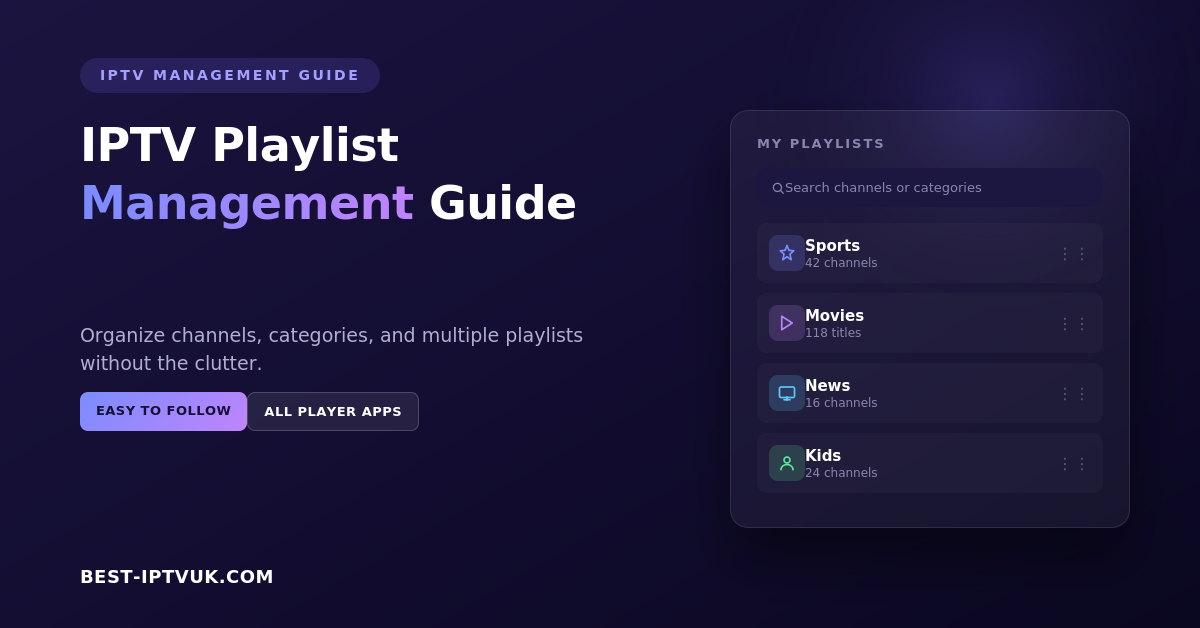
IPTV Playlist Management Guide
Managing your IPTV playlist effectively is one of the simplest ways to improve your streaming experience. Whether you enjoy live television, sports, movies, or international channels, a well-organized playlist helps you find content quickly and keeps your IPTV application running smoothly. Instead of scrolling through hundreds or even thousands of channels, you can arrange your playlist in a way that suits your viewing habits and makes navigation effortless.
This guide explains what IPTV playlists are, how they work, how to organize them efficiently, and the best practices for maintaining a fast and reliable streaming experience across all your devices.
What Is an IPTV Playlist?
An IPTV playlist is a collection of streaming links that your IPTV application uses to display live TV channels, movies, television series, and other available content. Rather than storing videos, a playlist simply tells your IPTV player where to find each stream.
Most IPTV services provide access through one of these methods:
M3U Playlist URL
Xtream Codes Login
Username and Password
Portal URL (supported by certain IPTV players)
Once the playlist is added to your IPTV application, your channels and entertainment library become available instantly.
Why Playlist Management Is Important
A typical IPTV subscription can include thousands of live channels along with an extensive library of movies and TV shows. Without proper organization, finding the content you actually watch can become frustrating.
Effective playlist management allows you to:
Find favourite channels quickly
Organize entertainment into categories
Remove unnecessary channel groups
Reduce clutter within your IPTV app
Improve navigation using your remote control
Keep playlists updated automatically
Create a better overall viewing experience
A few minutes spent organizing your playlist can save time every day.
Understanding Playlist Formats
Different IPTV providers support different connection methods. The most common formats include:
M3U Playlist
An M3U playlist is a file or URL containing links to streaming channels. It is compatible with most IPTV applications and is easy to import.
Xtream Codes
Xtream Codes allows users to log in using a server address, username, and password. This method automatically imports channels, movies, and programme information.
Portal Login
Some IPTV players connect through a portal address, making setup straightforward for supported devices.
Each format offers similar functionality, and your provider will let you know which method to use.
How to Organize Your IPTV Playlist
A well-structured playlist makes browsing much easier.
Create Favourite Lists
Save the channels you watch most often into a favourites section. This allows you to access them without searching through large channel lists.
For example, you can create groups for:
Sports
Movies
News
Kids
Entertainment
Documentaries
Music
Remove Unused Categories
Many IPTV apps allow you to hide categories you never watch. Removing unnecessary sections keeps the interface clean and easier to navigate.
Rename Custom Groups
If your IPTV application supports custom folders, give them meaningful names so you can quickly identify different playlists or content types.
Use the Search Function
Instead of scrolling through long channel lists, use the built-in search feature to find channels instantly.
Best IPTV Apps for Playlist Management
The IPTV player you choose plays a major role in how easily you can manage playlists.
Popular IPTV applications include:
IPTV Smarters Pro
TiviMate
XCIPTV Player
Perfect Player
VLC Media Player
These applications offer features such as favourite channels, playlist organization, Electronic Programme Guide (EPG) support, and multiple playlist management.
Supported Devices
Modern IPTV playlists work across a wide variety of devices, making it easy to stream wherever you are.
Compatible devices include:
Amazon Fire TV Stick
Fire TV Cube
Android TV
Google TV
Smart TVs
Android smartphones
iPhone and iPad
Windows PCs
Mac computers
Tablets
Many IPTV applications also allow playlists to be synchronized across multiple devices.
How to Add an IPTV Playlist
Setting up your playlist usually takes only a few minutes.
Step 1
Install a compatible IPTV player on your preferred device.
Step 2
Open the application and choose the login option provided by your IPTV service.
Step 3
Enter your playlist URL or login credentials.
Step 4
Wait for the application to import your channels and content library.
Step 5
Refresh the playlist if necessary to ensure you have the latest updates.
After setup, you can begin streaming immediately.
Using an Electronic Programme Guide (EPG)
An Electronic Programme Guide, commonly known as an EPG, displays information about current and upcoming television programmes.
Benefits include:
Programme schedules
Channel information
Now and next listings
Easier navigation
Better live TV experience
Many IPTV applications automatically load EPG data after your playlist has been imported.
Managing Multiple Playlists
Some users maintain more than one IPTV subscription. Modern IPTV applications often allow multiple playlists to be added and managed from a single interface.
If you use multiple playlists:
Give each playlist a clear name.
Remove expired subscriptions.
Update playlists regularly.
Back up settings if your application supports it.
Keeping playlists organized helps avoid duplicate channels and outdated information.
Tips for Better Playlist Performance
To enjoy smoother streaming, follow these recommendations:
Keep your IPTV application updated.
Refresh playlists regularly.
Delete inactive playlists.
Restart your streaming device occasionally.
Use a stable internet connection.
Clear the application cache when needed.
Use Ethernet instead of Wi-Fi where possible.
Organize favourites before major sporting events.
These simple steps help improve both speed and reliability.
Common IPTV Playlist Problems
Playlist Not Loading
Check your internet connection and verify that your login details are correct.
Missing Channels
Refresh your playlist or restart your IPTV application.
Duplicate Categories
Remove older playlists before importing updated versions.
Programme Guide Missing
Update the EPG and allow it time to download programme information.
Buffering During Live TV
Restart your router, close background downloads, and ensure your internet speed is suitable for streaming.
Most playlist issues can be solved with these basic troubleshooting steps.
IPTV Playlist Security Tips
Protecting your IPTV account is just as important as managing your playlists.
For better security:
Keep your login details private.
Download IPTV applications only from trusted sources.
Update your software regularly.
Avoid sharing subscription credentials.
Change passwords if you suspect unauthorized access.
Good security practices help keep your account safe.
Frequently Asked Questions
What is an IPTV playlist?
An IPTV playlist is a collection of streaming links that allows an IPTV application to display live television channels, movies, and other content.
Which playlist format is most common?
M3U playlists and Xtream Codes are currently the two most widely used connection methods.
Can I use multiple IPTV playlists?
Yes. Many IPTV applications allow users to manage multiple playlists at the same time.
Why are some channels missing?
Channels may be unavailable due to playlist updates or temporary maintenance. Refreshing your playlist often resolves the issue.
How often should I update my playlist?
Most IPTV applications update automatically, but manually refreshing your playlist every few days helps ensure you have the latest channel information.
Do playlists work on all devices?
Most IPTV playlists are compatible with Firestick, Smart TVs, Android devices, iPhones, tablets, Windows computers, and Mac systems when used with a supported IPTV player.
Final Thoughts
Proper playlist management can significantly improve your IPTV experience. A well-organized playlist makes it easier to find your favourite channels, reduces unnecessary clutter, and helps your IPTV application perform more efficiently. Whether you stream live television, sports, movies, or international content, taking a few minutes to organize your playlists will save time and make everyday viewing much more enjoyable.
By keeping your playlists updated, using favourites, maintaining a stable internet connection, and choosing a reliable IPTV player, you can enjoy a smoother and more organized streaming experience across all your devices.
Smaterspro
IPTV Subscription UK (2026): How to Choose a Reliable Service That Offers Great Value
Finding the right IPTV subscription UK can completely transform the way you watch television. Instead of being tied to expensive cable packages, IPTV lets you stream live TV, sports, movies, and on-demand entertainment over the internet at a fraction of the cost.
However, not every IPTV provider offers the same level of quality. Some deliver smooth, buffer-free streaming with thousands of channels, while others struggle with poor performance and unreliable servers.
In this guide, we'll explain what makes a reliable IPTV subscription, the features you should look for, and how to choose a service that offers excellent value for money.
What Is an IPTV Subscription?
An IPTV (Internet Protocol Television) subscription allows you to stream television content using your internet connection instead of traditional satellite or cable services.
With a quality IPTV service, you can enjoy:
Live TV channels
Sports events
Movies
TV series
News channels
Children's entertainment
International content
Video-on-demand (VOD)
All of this can be accessed from a wide range of compatible devices, giving you the flexibility to watch wherever and whenever you want.
Need help choosing the right IPTV plan?
Compare the available subscription options and find the package that best suits your viewing habits.
View IPTV Plans :best-iptvuk.com
Why Reliability Matters When Choosing an IPTV Subscription UK
A large channel list means very little if the service constantly buffers or goes offline.
Reliability is one of the most important factors when selecting an IPTV provider because it directly affects your viewing experience.
A dependable IPTV service should offer:
Stable servers with high uptime
Fast channel loading
Smooth playback during peak hours
Minimal buffering
Consistent picture quality
Reliable customer support
When your provider invests in quality infrastructure, you can enjoy uninterrupted entertainment without worrying about frequent outages.
Request your trial here:
Features to Look for in the Best IPTV Subscription UK
Choosing the right IPTV provider involves more than comparing prices. Here are the features that truly matter.
Extensive Channel Selection
A premium IPTV subscription should include a wide variety of content suitable for every member of the household.
Look for services offering:
UK entertainment channels
Sports networks
Kids' channels
News channels
Documentary channels
International TV
Movie channels
Music channels
Many providers also include thousands of Video-on-Demand titles, including the latest films and popular TV series.
High-Quality Streaming
Picture quality is essential for an enjoyable viewing experience.
A reliable IPTV subscription should support:
HD streaming
Full HD (1080p)
4K Ultra HD (where available)
Combined with stable servers, these resolutions provide sharp images and smooth playback.
Wide Device Compatibility
One of IPTV's biggest advantages is flexibility.
The best IPTV services work on a variety of devices, including:
Smart TVs
Amazon Fire TV Stick
Android TV
Android phones and tablets
iPhone and iPad
Windows PCs
Mac computers
TV boxes
MAG devices
Enigma2 receivers
This allows you to switch between devices without changing your subscription.
Fast and Simple Setup
A quality IPTV service shouldn't require technical expertise.
Most providers offer simple installation guides that help users complete setup within a few minutes.
Whether you're using a Smart TV or Firestick, the process is usually quick and beginner-friendly.
Responsive Customer Support
Even the best services occasionally require assistance.
Choose a provider that offers responsive customer support through channels such as:
Live chat
Email
WhatsApp
Telegram
Fast support can save a lot of time if you need help with installation, playlist setup, or troubleshooting.
Flexible Subscription Plans
Different users have different needs.
Most IPTV providers offer several subscription options, including:
Monthly plans
Three-month plans
Six-month plans
Annual subscriptions
Longer plans often provide better overall value while allowing you to save compared to monthly payments.
Free Trial Availability
A free trial is one of the easiest ways to evaluate an IPTV service before making a purchase.
During the trial, you can check:
Streaming quality
Channel availability
Loading speed
User interface
Overall stability
Testing the service first helps you make a more confident decision.
Why More UK Viewers Are Choosing IPTV
Traditional television packages continue to become more expensive while offering less flexibility.
IPTV has become a popular alternative because it provides:
More channels
Greater viewing flexibility
Lower monthly costs
Access across multiple devices
Large Video-on-Demand libraries
Easy installation
Worldwide entertainment
Whether you're interested in live Premier League matches, blockbuster movies, documentaries, or international channels, IPTV brings everything together in one convenient platform.
Signs of a Reliable IPTV Provider
Before subscribing, take time to evaluate the provider carefully.
A trustworthy IPTV service will usually offer:
High server uptime
Stable streaming performance
Clear pricing
Multiple subscription options
Secure payment methods
Positive customer reviews
Fast technical support
Regular service updates
Providers that openly explain their services and support options generally inspire greater confidence than those with limited information.
Getting the Best Value for Your Money
The cheapest IPTV subscription isn't always the best choice.
Instead, focus on overall value by comparing:
Channel selection
Streaming quality
Server reliability
Customer support
Device compatibility
Trial availability
Subscription flexibility
A slightly higher-priced subscription often delivers a significantly better viewing experience and fewer technical issues over time.
Frequently Asked Questions
Is IPTV legal in the UK?
The legality depends on the content being streamed and whether the provider has the appropriate rights to distribute it. Users should ensure they choose services that comply with applicable laws.
What internet speed is recommended for IPTV?
For stable viewing, a minimum of 20 Mbps is recommended for HD streaming, while faster connections are beneficial for 4K content and multiple devices.
Can I watch IPTV on multiple devices?
Many providers support multiple devices, although the number of simultaneous streams depends on your subscription plan.
Does IPTV require a satellite dish?
No. IPTV uses your internet connection, so no satellite dish or cable installation is required.
Final Thoughts
Choosing the right IPTV subscription UK is about much more than finding the lowest price. A reliable provider delivers smooth streaming, excellent picture quality, broad device compatibility, responsive customer support, and flexible subscription plans that suit your viewing habits.
By comparing features, testing services through available trials, and selecting a provider with a strong reputation, you can enjoy a modern television experience that offers convenience, flexibility, and outstanding value.
Whether you're watching live sports, catching up on your favourite TV series, or exploring an extensive library of on-demand content, a quality IPTV subscription can provide reliable entertainment for the whole family.
Smaterspro
IPTV free trials. Complete Guide to Features & Providers
Have you ever wanted to try IPTV but didn't know which service to pick? That's where free trials of IPTV are helpful! You can try out different IPTV companies for free before deciding to pay for a subscription. If you enjoy live sports, movies, or stations from around the world, a free trial lets you explore and discover what you like without any cost.
Why Try an IPTV Free Trial?
A free trial of IPTV lets you try the service before paying for it. This helps you check the station options, viewing quality, how easy it is to use, and if it works with your devices—all without spending any money.
Important reasons to try an IPTV free trial:
Assess the different types of channels: Make sure the service provides a variety of outlets in different categories that match your hobbies.
Check the quality of the stream: Check the video and audio quality, looking at the clarity, how long it takes to load, and how steady the stream is.
Look at the user experience: It's simple to use the service, find the stations you want, and watch material whenever you like.
Device compatibility: Make sure the service works well on your favorites such as smart TVs, streaming sticks, and mobile phones.
Compare different providers: Try out various free trials to check the features, prices, and program options of different IPTV companies.
Key things to keep in mind when using a free sample of IPTV:
Limited features: Free trials may not allow access to all stations or features that come with a full membership.
Trial duration: Make sure to note how long the trial lasts so you have enough time to fully test the service.
How to Get an IPTV Free Trial?
It's simple to get a free trial of IPTV, and it's a beneficial way to try the service before deciding to buy it. Here's how to do it:
Look for a reliable IPTV service provider:
Check for trustworthy companies like https://iptvuk.site/ that have free trial options.
Register:
Please give your email address and, occasionally, your payment information. You won't pay anything until the trial is over.
Get it ready!
Download the app or install it on your computer. Enter the login information you received from the service.
Check the service:
Make sure to check the video quality, choose your station, and see if it works on your devices.
Make a decision:
If you enjoy the service, sign up! If you don't want to continue, stop before the trial ends to avoid any fees. For checking a subscription, get a free trial now!
What can you watch on IPTV?
Live TV
You can watch live shows just like regular TV. This includes: News channels sports (football, basketball, tennis, etc.). Music Channels
Talk Shows
There are reality TV shows and live events such as concerts and award shows.
On-demand TV shows and movies
IPTV lets you watch TV shows and movies anytime you want, just like streaming services like Netflix and Hulu. You can reach:
Popular TV shows (dramas, comedies, crime shows, etc.)
Movies (new movies, old hits, etc.)
Documentaries Content for Kids
Sports Events
One of the best things about IPTV is that it lets you watch live sports events like
Football (like the Premier League, La Liga, and the World Cup) Basketball (NBA, NCAA)
There are tennis Grand Slam events.
Boxing and MMA
Golf Cricket
Formula-1 Rugby
Pay-Per-View Events
Some IPTV providers allow you to pay for individual events such as:
Boxing Fights
Wrestling (WWE) Concerts
Special Sports Matches (like title games)
International Channels
You can watch stations from all over the world, such as:
News from Other Countries: TV Shows from Around the World
Movies in various languages
Cultural and regional content 6. Video on Demand (VOD) With VOD, you can watch movies, shows, or videos anytime you want. You can also watch shows you missed with catch-up TV.
Special Features of IPTV
Interactive TV lets you pause, stop, or fast-forward live TV. Cloud DVR: Record shows and save them to watch later. HD/4K Streaming: Watch videos in high-definition or ultra-high-definition quality.
What are the features of the IPTV service and its benefits?
Features of IPTV
Variety of Content
● The service provides a wide range of channels, such as live TV, on-demand shows, and the ability to pay for special events.
● Watch international channels and unique content not usually found on regular cable.
Interactive Features
● Pause, rewind, and fast-forward live TV.
● Watch videos anytime with Video on Demand (VOD), catch up on missed shows, and use live program guides.
It works on all devices
● The product is available on smart TVs, smartphones, tablets, and computers.
● It's easy to stream content wherever you are with streaming apps.
Streaming in HD and 4K
● Enjoy high-quality video with HD and ultra-clear 4K resolution.
Personalization
● Create your own channel list and get recommendations based on what you like to watch. Cloud Storage
● Some IPTV services let you record shows and save them in the cloud to watch later.
Integration with other services
● Bundling internet and phone services can often result in cost savings.
● May connect with other streaming apps and websites.
Advantages of IPTV:
Cost-Effective
● It's more affordable than traditional cable, particularly when you combine services.
● No installation or equipment rental fees.
It is both flexible and easy to use
● Watch shows whenever you want, without a set schedule.
● Switch between different devices and systems easily.
Better Viewing Experience
● Enjoy fun features and high-quality streams for a more enjoyable experience.
● Access more content and different genres.
● Watch content from anywhere, no matter where you are.
Regular Updates
● IPTV providers can add new channels, shows, and features easily, with no need for updates on your end.
Easy Interface
● Most IPTV services have simple, user-friendly interfaces that help you find what you want to watch quickly.
Real-World Applications of IPTV
Many real-world applications use IPTV (Internet Protocol Television).
Key real-world applications of IPTV:
Home Entertainment: Many people use IPTV services like Netflix, Hulu, or YouTube TV to watch movies, TV shows, and live sports on their smart TVs, smartphones, or computers at home. They like being able to pause, rewind, and watch whatever they want whenever they choose.
Corporate Training:
Companies can use IPTV to share training videos and presentations with employees in different places. This makes it easy for workers to access the latest training materials and participate in planned learning sessions.
Digital signs:
In public places like airports and train stops, use IPTV to show important information such as flight times, departure announcements, and news on screens. In hospitals, medical staff can view patient information, training movies, and live surgery broadcasts using IPTV systems, making communication and learning easier. In the hospitality industry, hotels and resorts offer guests entertainment in their rooms. This includes TV stations, on-demand movies, and hotel information through IPTV systems.
Remote Monitoring Systems:
IPTV can send live video from faraway places like building sites, oil rigs, or security cameras. This enables real-time monitoring and management in these areas.
FAQs About IPTV Free Trials
What are the limitations of IPTV?
Limitations: Loss of data packets and delays can impact IPTV. An IPTV channel has a minimum bandwidth limit. Some systems can adjust to slower internet speeds by lowering the picture quality.
What is the policy of IPTV?
The document outlines the rules and instructions for providing TV material over the internet.
What is the disadvantage of IPTV?
It requires a stable and rapid internet connection.
Conclusion
Free samples of IPTV services are a wonderful way to try them out before you decide to sign up. You can try out features like viewing quality, station choices, and gadget support for free and risk-free. A free sample lets you try out live TV, sports, and on-demand shows for yourself. iptvukUsing free samples lets you find the IPTV service that works best for you, helps you save money, and lets you enjoy great material on your own schedule. Why not give it a go and start watching TV your way today?
Simple, Transparent Pricing
Choose the plan that works best for you. All plans include our 30-Day Money-Back Guarantee.
Limited Time Flash Sale!
Prices will return to normal after the timer ends.
Monthly
Perfect for trying out our service
-
28,000+ Live TV Channels
-
Full HD & 4K Quality
-
7-Day Catch Up
-
VOD Library (Movies & Series)
-
Use on 1 Device
-
24/7 Support via WhatsApp
3 Months
Great value for short term
-
28,000+ Live TV Channels
-
Full HD & 4K Quality
-
7-Day Catch Up
-
VOD Library (Movies & Series)
-
Use on 2 Devices Simultaneously
-
24/7 Support via WhatsApp
-
Save over 20% vs Monthly
Annual
Best value for loyal customers
12 Months + 2 Months FREE
-
28,000+ Live TV Channels
-
Full HD & 4K Quality
-
7-Day Catch Up & Recording
-
Premium VOD Library (Updated Daily)
-
Use on 3 Devices Simultaneously
-
VIP 24/7 Support
-
Save over 60% vs Monthly
-
Free Setup Assistance
Quarterly
Popular choice for commitment
-
28,000+ Live TV Channels
-
Full HD & 4K Quality
-
7-Day Catch Up & Recording
-
Extensive VOD Library
-
Use on 2 Devices Simultaneously
-
Priority 24/7 Support
-
Early access to new features
Secure Payment Options
We accept various secure payment methods for your convenience.
Ready for a Longer Test Drive?
Experience the full power of lightsteelblue-mallard-181895.hostingersite.com IPTV with our exclusive 24-hour free trial. Access all 28,000+ channels, VOD, and premium features with no obligation. It's the perfect way to see why we're the UK's favourite IPTV provider!
Contact Us
Have questions or need assistance? We're here to help!
Get in Touch
Email Us
contact@best-iptvuk.com
Available 24/7
Call Us
+447404860675
Available 24/7
Live Chat
Available on our website
Response time: Under 5 minutes
Our Hours
Customer Support: 24/7
Sales Department: Mon-Fri, 9am-6pm GMT
Technical Support: 24/7
